Magnifiers

A magnifier is the piece of equipment modellers buy later than they should. The moment you start handling photo-etched parts, small decals or figure faces, magnification saves your eyes and a measurable number of ruined parts. This section covers desk magnifiers on a stand and on a clamp for the edge of the bench, versions with LED lighting, and headband types that leave both hands free.

Stronger is not automatically better, because magnification and working distance trade against each other. The notes below explain how to choose the power and the format for the work you actually do.

Show more
7 products
Product filtering
up to €
Model CraftLC1875

Lightcraft lupa 3x s LED osvětlením

A Lightcraft magnifier with 3x magnification and LED lighting is an aid for the modeling bench, for working with small parts, photo-etch and detail while painting.
In stock
24.76 €
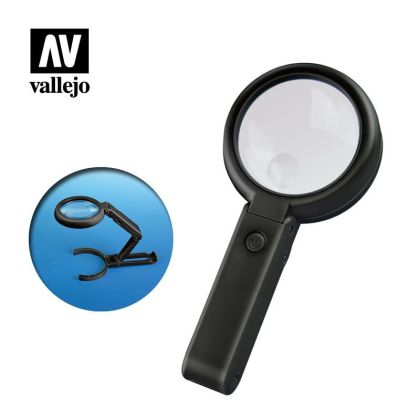
VallejoVALT14002

Foldable LED Magnifier (with inbuilt stand)

The Vallejo foldable LED magnifier with a built-in stand and lighting - a handheld and desktop magnifying aid for modelers.
In stock
30.76 €
VallejoVALT14001

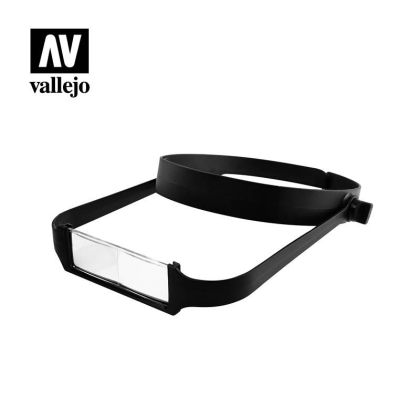
Lightweight Headband Magnifier with 4 Lenses

A lightweight Vallejo headband magnifier with four interchangeable lenses for magnification while working on the fine details of models and figures.
In stock
14.36 €
Master ToolsMT09959

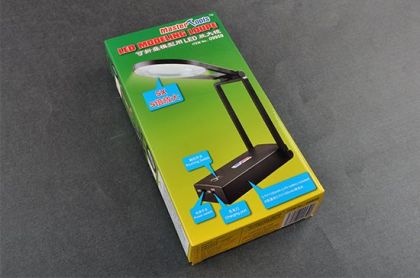
LED MODELLING LOUPE

The Master Tools LED magnifying loupe is a modeling loupe with built-in LED lighting for work with fine details.
In stock
37.16 €
TamiyaTA74064

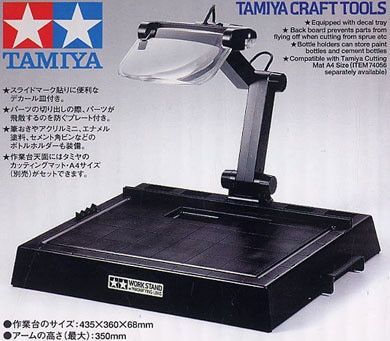
Work Stand with magnifying Lens

The Work Stand with Magnifying Lens from the manufacturer Tamiya is a work board with an acrylic lens of 2x magnification and white LED lighting, with holders for clips, brushes and bottles. It is equipment for a modeling bench , not a kit or a paint.
In stock
99.96 €
Model CraftPOP1035

Plastic Eyeglass Magnifier 3x

A 3x clip-on eyeglass magnifier clips onto the frame of your glasses and gives you magnification for work on the finest details.
In stock
3.96 €
Model CraftPCL2228

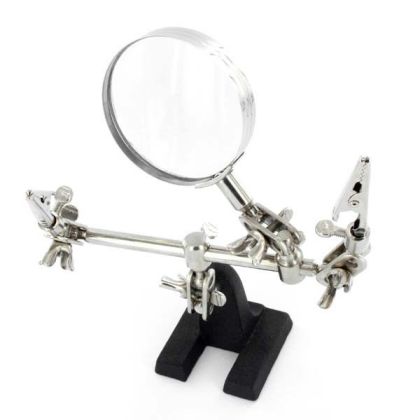
Lupa s držáky

A magnifier with clamps (a third hand) from Model Craft, a bench magnifier with clips for precise work with small parts.
In stock
11.16 €

What a magnifier does for a modeller

At a normal working distance the eye simply cannot tell where one scribed line ends and the next begins. With small parts you are therefore working on an estimate, and you discover the errors after the varnish has gone on. A magnifier solves that directly: it enlarges the area you are working on and lets you hold the model further from your face, so you stop hunching over the bench.

How to choose one

Magnification and working distance

The rule is simple. The higher the magnification, the smaller the field of view and the shorter the distance at which the image is sharp. Two to three times is a good compromise for ordinary building, because you see the whole part and still fit a pair of tweezers in above it. Save the stronger lenses for detail work such as faces on figures or placing small etched parts.

Desk, headband or lit

A desk magnifier on an articulated arm or a bench clamp is set once and then forgotten about. Headband and spectacle types suit anyone who moves around the model or turns it in their hands. Many desk units have LEDs in the frame, which light exactly what they magnify; if yours does not, pair it with a separate modelling lamp.

Lenses and interchangeable inserts

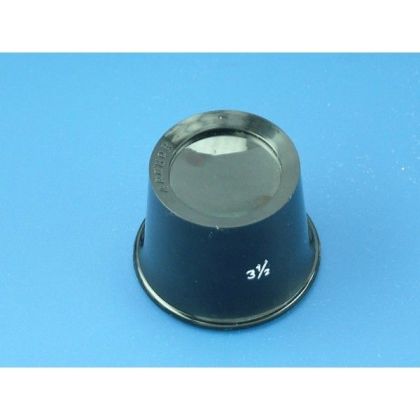
Some magnifiers carry two lenses in the head, a weaker one for the overview and a small supplementary one for detail. Headband types often come with a set of interchangeable lenses, so you choose the power to suit the job. If you prefer free hands and nothing on the bench, look at magnifying glasses.

Where magnification pays for itself fastest

  • Gluing photo-etched parts, the thin brass sheets that carry the finest detail; bending etch without magnification is a gamble
  • Painting model figures with a brush of a few hairs
  • Placing small decals and working with tweezers
  • Checking a surface after filling and sanding, when you want the scratches found before the paint finds them

Choose a magnifier by the work in front of you rather than by the number on the packaging. The rest of the workspace is in modelling workbench equipment.


Frequently asked questions in category Magnifiers

Pro běžnou stavbu stačí dvojnásobné až trojnásobné zvětšení, kde vidíte celý díl a vejdete se nad něj s pinzetou. Silnější čočky využijete při malování figurek a lepení drobných leptaných dílů.

Stolní lupu nastavíte jednou a pracujete pod ní, takže se hodí při práci na jednom místě. Náhlavní provedení vás sleduje, když model otáčíte v ruce, a nechává volné obě ruce.

Pomáhá to. Čočka světlo částečně pohlcuje, takže pod lupou bývá tmavší než okolo. Lupa s LED kroužkem nasvítí přesně zvětšované místo, jinak si přisvětlete stolní lampou.
Loading, please wait...

Setting consent to personalization

With your consent, we may use the information below for the following purposes or share it with selected partners. You can adjust your settings for individual purposes (types of processing) and confirm your choice with the "Save settings" button:

Always active

Necessary cookies

These are technical files that are necessary for the correct behavior of our website and all its functions. They are used, among other things, to store products in the shopping cart, display products on request, control filters, personal settings and also set consent to the use of cookies. Your consent is not required for these cookies and it is not possible to remove it.

Analytical cookies

They count website traffic and, by collecting anonymous statistics, enable the operator to better understand their visitors and thus constantly improve the site.

Marketing cookies

They collect information to better tailor advertising to your interests, both on and off this website.

Setting consent to personalization

To make it easier for you to browse the site, to offer you customized content or advertising, and to analyze traffic anonymously, we use cookies that we share with our partners for social media, advertising, and analytics. You can adjust their settings with the "Edit settings" link and you can change it at any time in the footer of the website. You can find more detailed information in our Policy on the protection of personal data and the use of cookies.